The Design screen
One screen holds every tool that changes how your shop looks. What each tile does, and why a few of them carry a small lock.
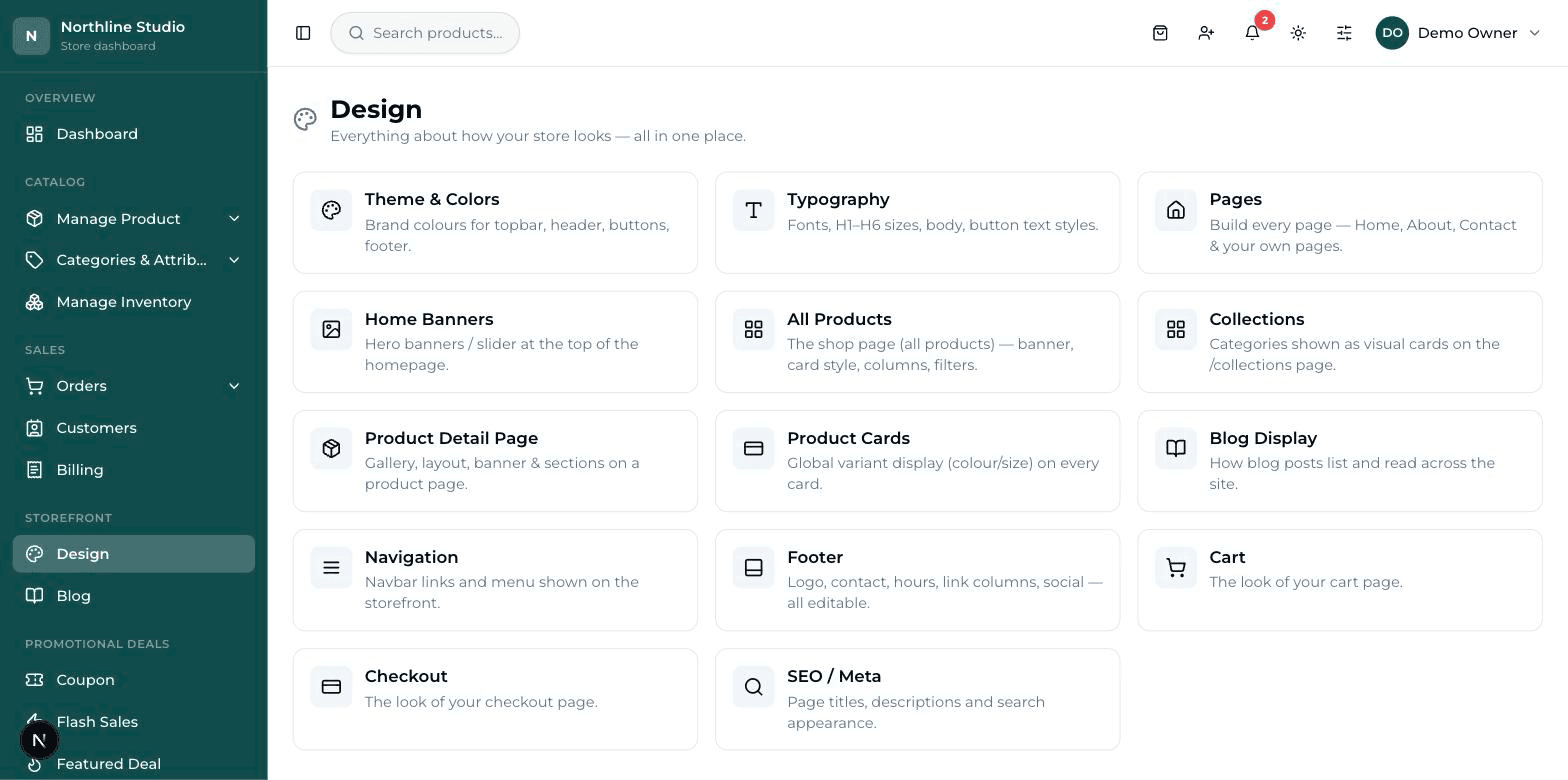
Everything about how your shop looks lives on one screen. Open it from the menu on the left.
A design is the shape; your words and pictures are separate#
This is the one idea that makes the whole screen make sense. A design (also called a style) is only the arrangement — where the picture sits, how big the price is, whether the cards are square or tall. Your own words, prices and photos are put in somewhere else and stay yours no matter which design you pick.
Changing a design does not delete anything
Switch from one design to another and your products, your banner pictures, your footer address — all of it stays exactly where it was. Only the arrangement changes. So try designs freely.
What each tile is for#
| Tile | What it changes |
|---|---|
| Theme & Colors | The colours of the whole website — top strip, header, buttons, footer. |
| Typography | The lettering — which font, how big the headings are, how the buttons read. |
| Pages | Every page of your website — Home, About, Contact and any page you make yourself. |
| Home Banners | The big pictures at the top of the homepage, and the words on them. |
| All Products | The shop page where every product is listed. |
| Collections | Your categories shown as picture cards on their own page. |
| Product Detail Page | The page a customer lands on after clicking one product. |
| Product Cards | How colour and size choices show on the small product boxes everywhere. |
| Blog Display | How blog articles list, and how one article reads. |
| Navigation | The menu across the top of the website, and its links. |
| Footer | The bottom strip — address, phone, hours, link columns, social. |
| Cart | The basket page where a customer checks what they picked. |
| Checkout | The last page — where the customer types their address and pays. |
| SEO / Meta | How your shop appears in Google search results. |
The small lock on some tiles#
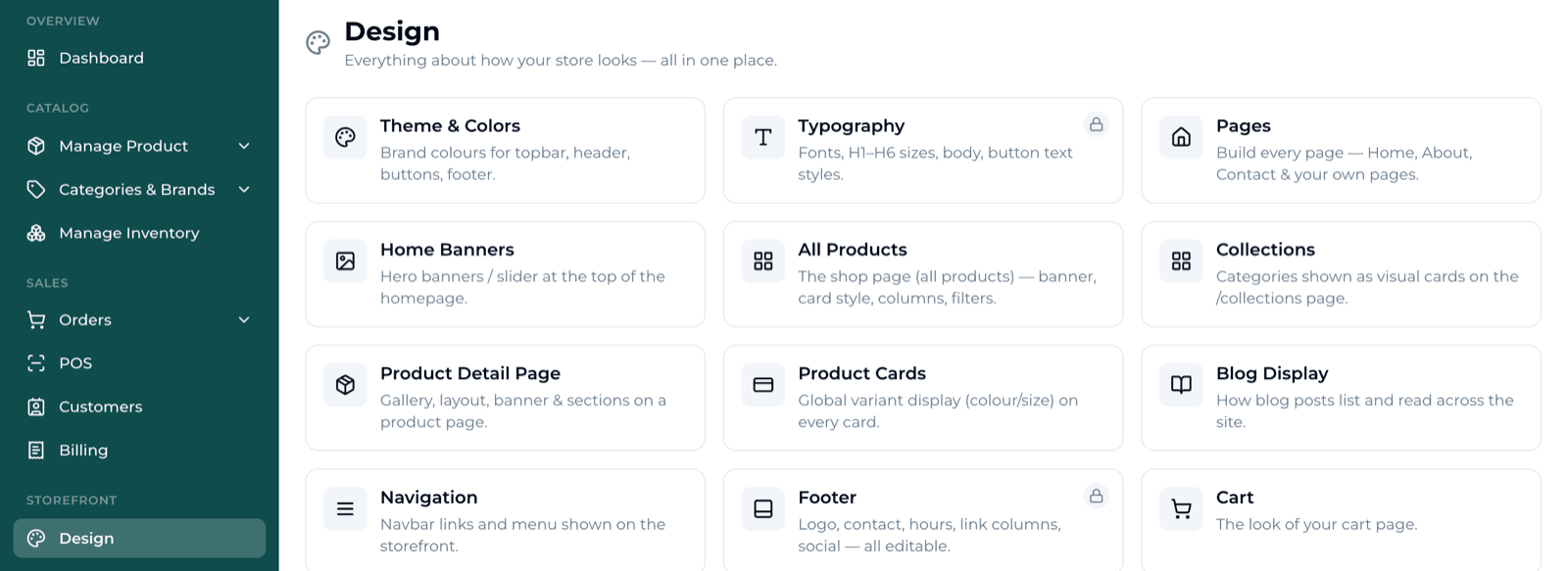
The company that built your shop keeps some designs in their hands. Two kinds of lock exist, and they behave differently.
- A lock on the tile itself — a small round lock at the top right corner. That whole tool is looked after by your provider. Clicking it opens a plain screen instead of the editor.
- A lock on one design inside a tool — the tool opens normally, and only some of the designs carry a lock with a price on them.
A locked design is never hidden from you. You still see the picture of it, with the word Premium, the price, and a button that says Request this design. Press it and your provider gets the message.
What a locked tool looks like#
If the whole tool is looked after by your provider, clicking the tile opens a calm screen instead of the editor. It has three parts: a heading with a lock, a live window showing your website exactly as it is today, and a box to type what you want changed.
- Read the line under the heading — it tells you this design is set up by your provider.
- In the box headed Want changes to this design?, type what you would like — plainly, in your own words.
- Press Request a change. A green message says the request was sent.
If your screen has fewer tiles than this page shows#
- Parts your shop does not use are switched off. If your shop has no blog, the Blog Display tile is not there. Same for Collections.
- Your role decides the rest. Only the owner account sees everything; a cashier or an accountant does not need the design tools at all.
- Some tools are looked after by your provider, so the tile is there with a lock instead of the editor.
Always go and look at your shop#
Design work is invisible until you look. The dashboard shows you a small preview; only your real website shows you the truth. After every save, open your shop in a second browser tab and refresh it.